 Pietra
I led design on Pietra Design Studio, an AI tool that turns a creator's idea into a manufacturable product and hands it straight to a factory. It reached 10,000+ users in its first three months, tripled our monthly manufacturing requests, and lifted membership. Here are the decisions — and the 22 versions — that got it there.
TL;DR Pietra gives e-commerce creators the vertically integrated tools to design, source, and sell physical products. The hardest part of that stack is the beginning: actually bringing a product into existence. We bet that AI could collapse that gap, shipped a one-week test to see if anyone wanted it, and then iterated in public until "type a phrase, get a product you can manufacture" actually worked. I owned every screen alongside our CEO, head of product, and three engineers.
The $10B opportunity is physical
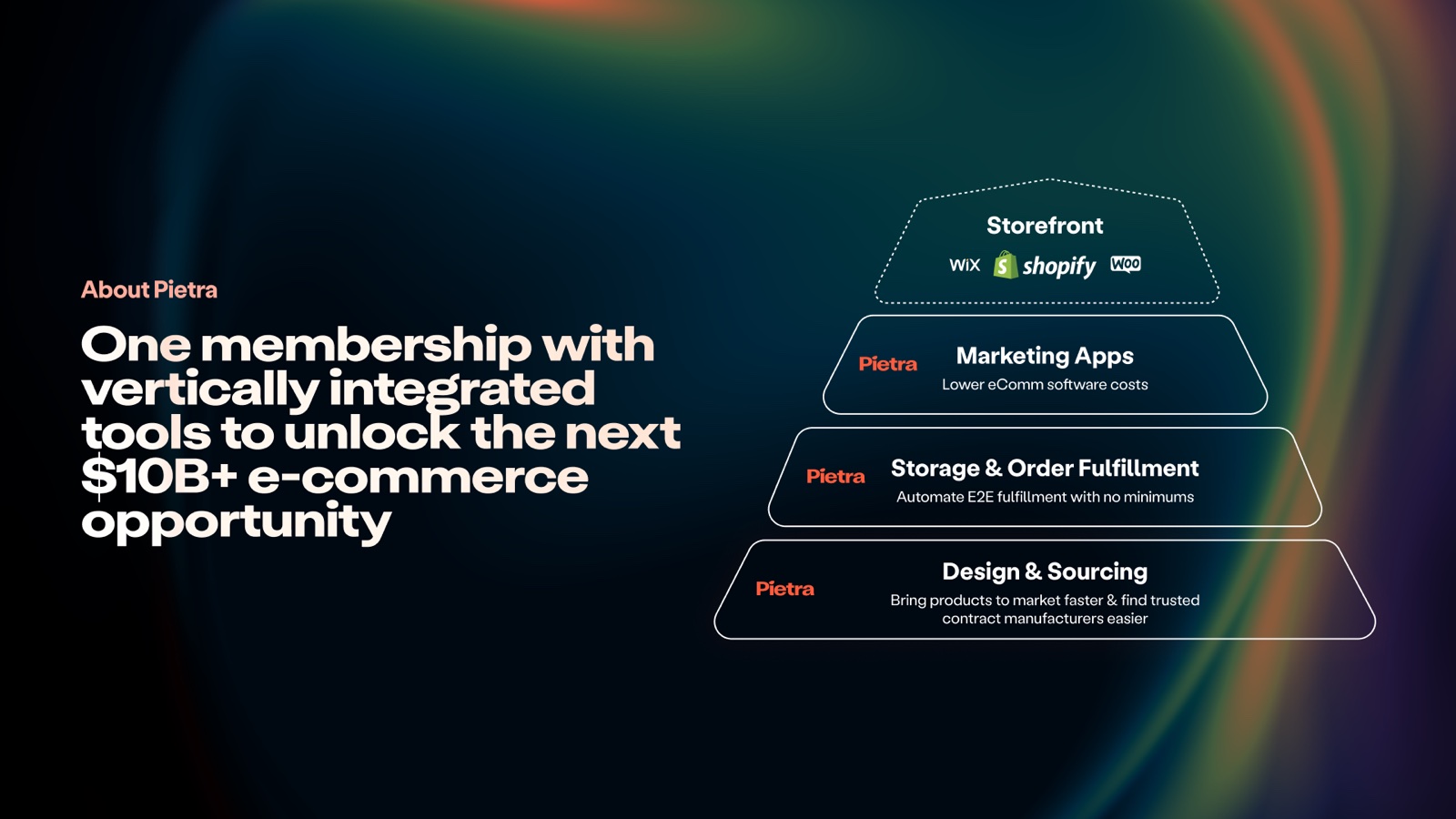
Pietra is one membership with the whole stack a modern brand needs — design and sourcing, storage and fulfillment, marketing apps, and a storefront. Most of that stack is software. The layer that isn't — turning an idea into a real, manufactured object — is where founders get stuck.
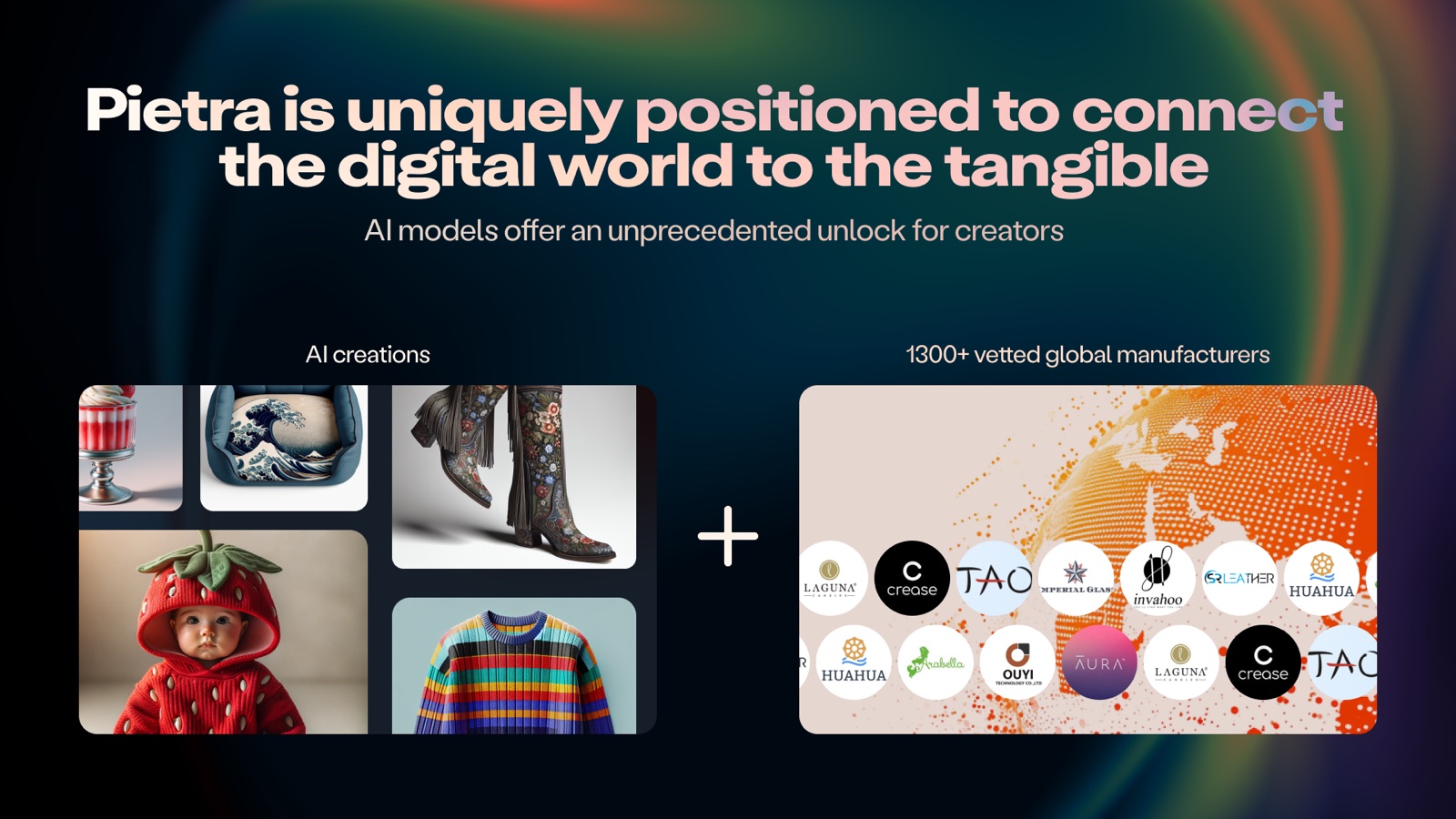
That's the layer we're uniquely built for. Behind Pietra is a network of 1,300+ vetted manufacturers around the world. The opportunity was to connect the digital act of imagining a product to the physical reality of making one.
A one-week bet
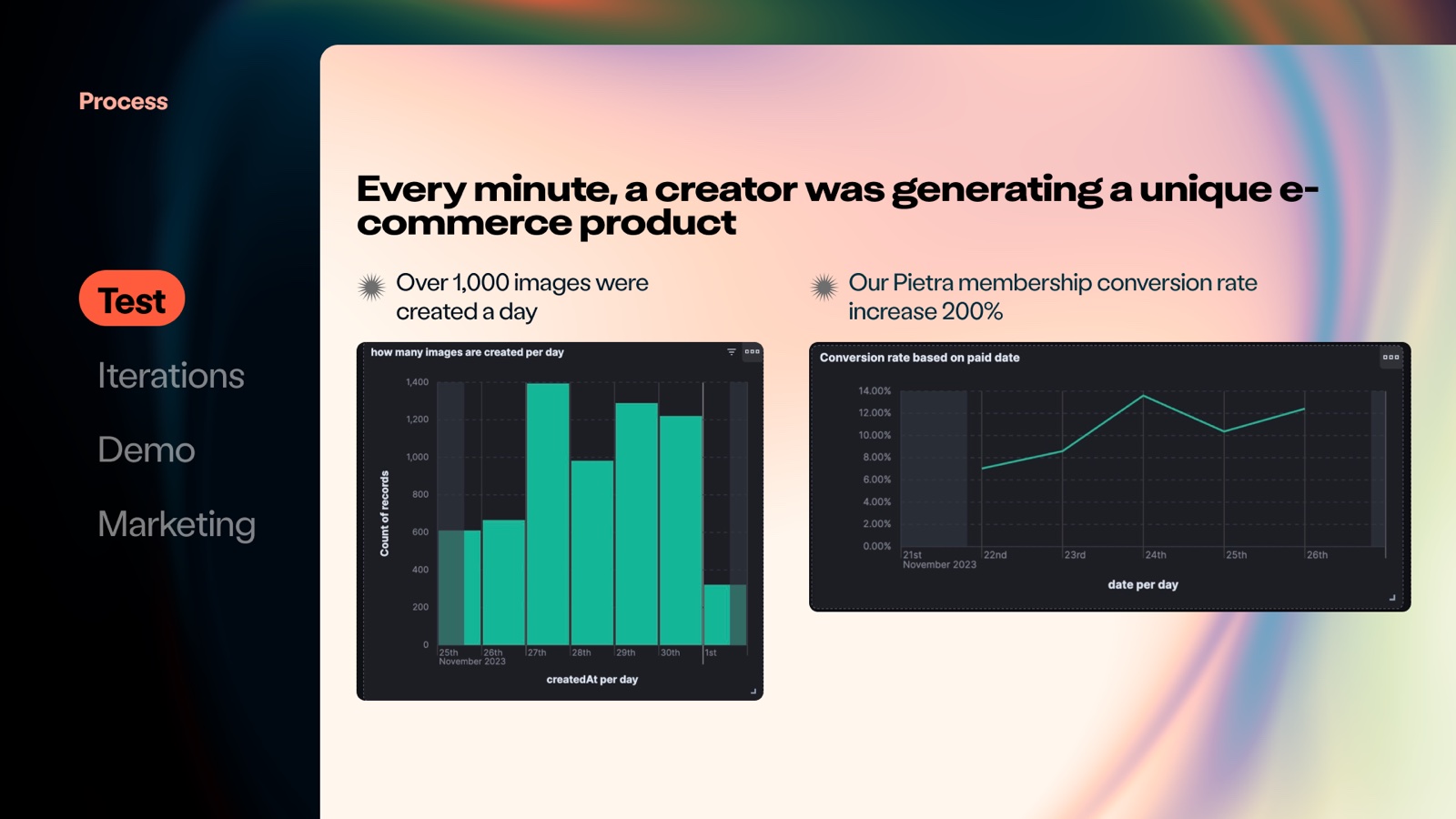
Before designing a product, I wanted to know if anyone actually wanted one. So the first version wasn't a product — it was a test. We dropped a single "Customize with AI" button into our existing marketplace and watched what happened.
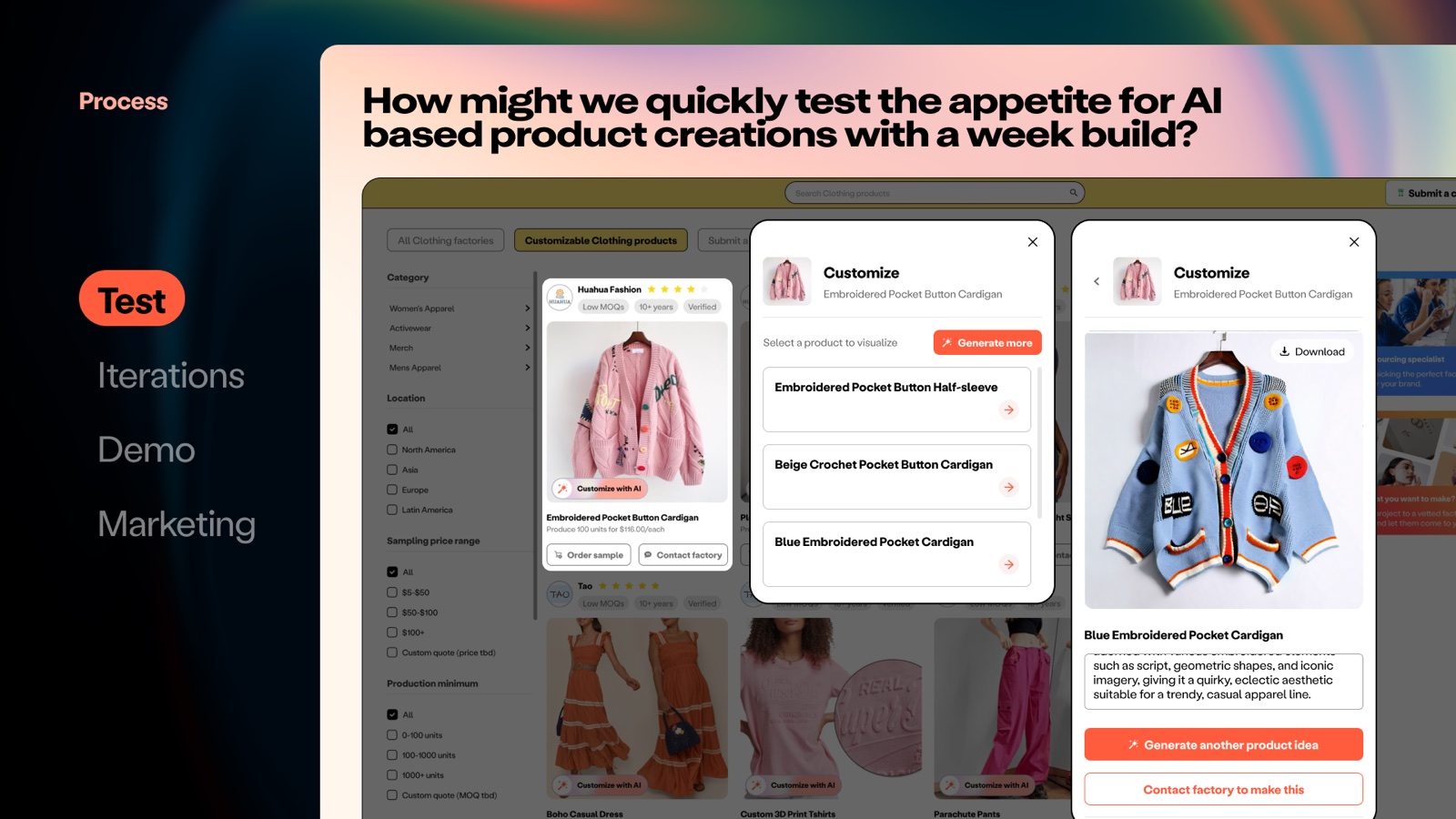
It was. Within days, a creator was generating a unique product roughly every minute — over a thousand images a day — and members who touched it converted at twice the rate of those who didn't. That was the signal to build the real thing.
Twenty-two versions, in public
There's no clean way to design a brand-new AI interaction, so I didn't try. I shipped, watched real creators use it, wrote down what broke, and shipped again — 22 versions in all. A few of the turns that mattered:
- V1 led with suggested product ideas from a simple phrase, plus specs (materials, process, cost) so you could actually get it made. Creators loved the suggestions but the AI kept missing, so they scribbled notes for the factory.
- V8 let them annotate and measure right on the generation before sending it off. But starting from a blank prompt was hard — many already had a sketch or a reference image.
- V12 opened the front door wider: start from a prompt, a sketch, a reference image, or a template.
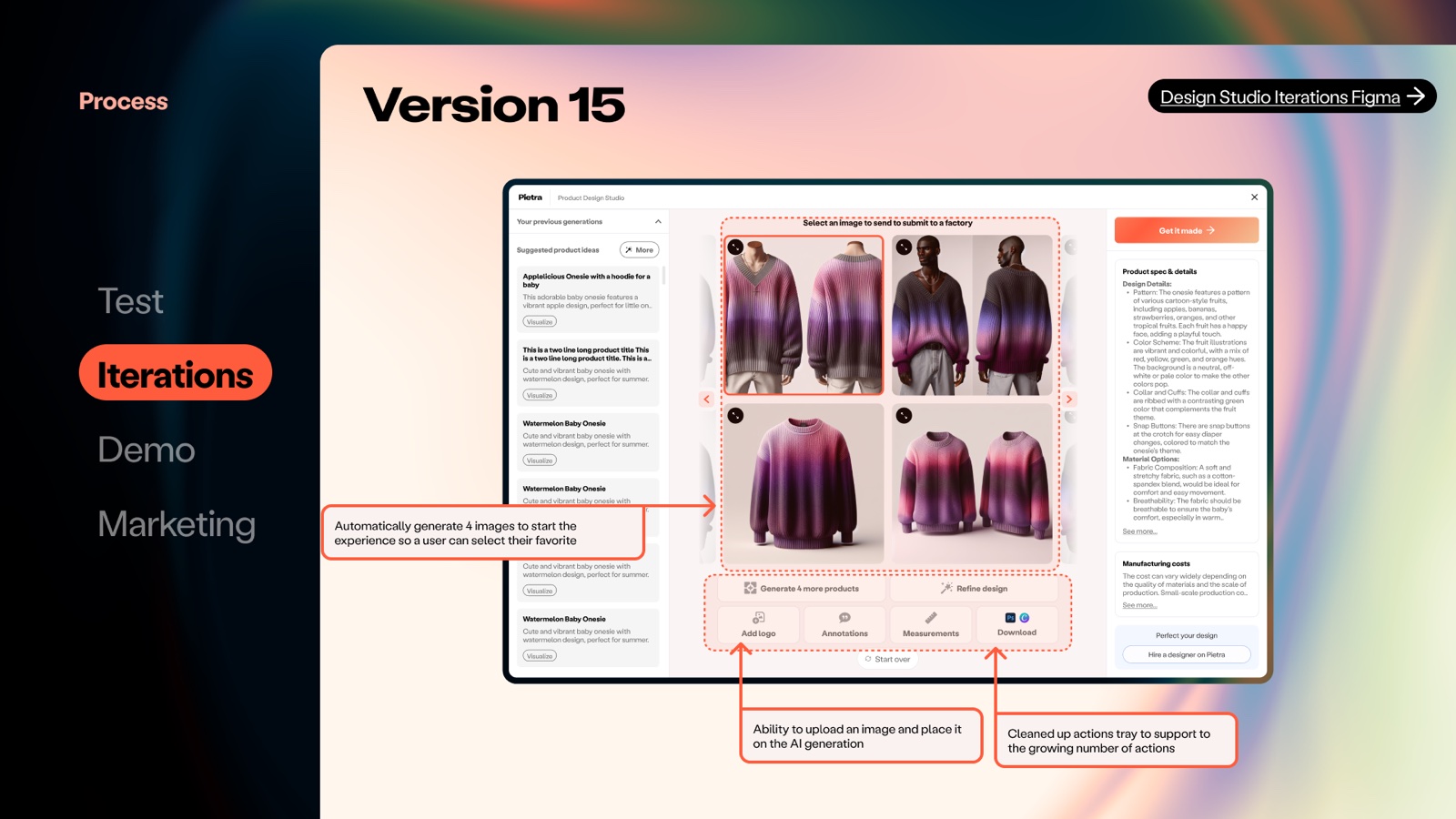
- V15 auto-generated four options so you could pick a favorite, and cleaned the actions into a single tray — add a logo, annotate, measure, download.
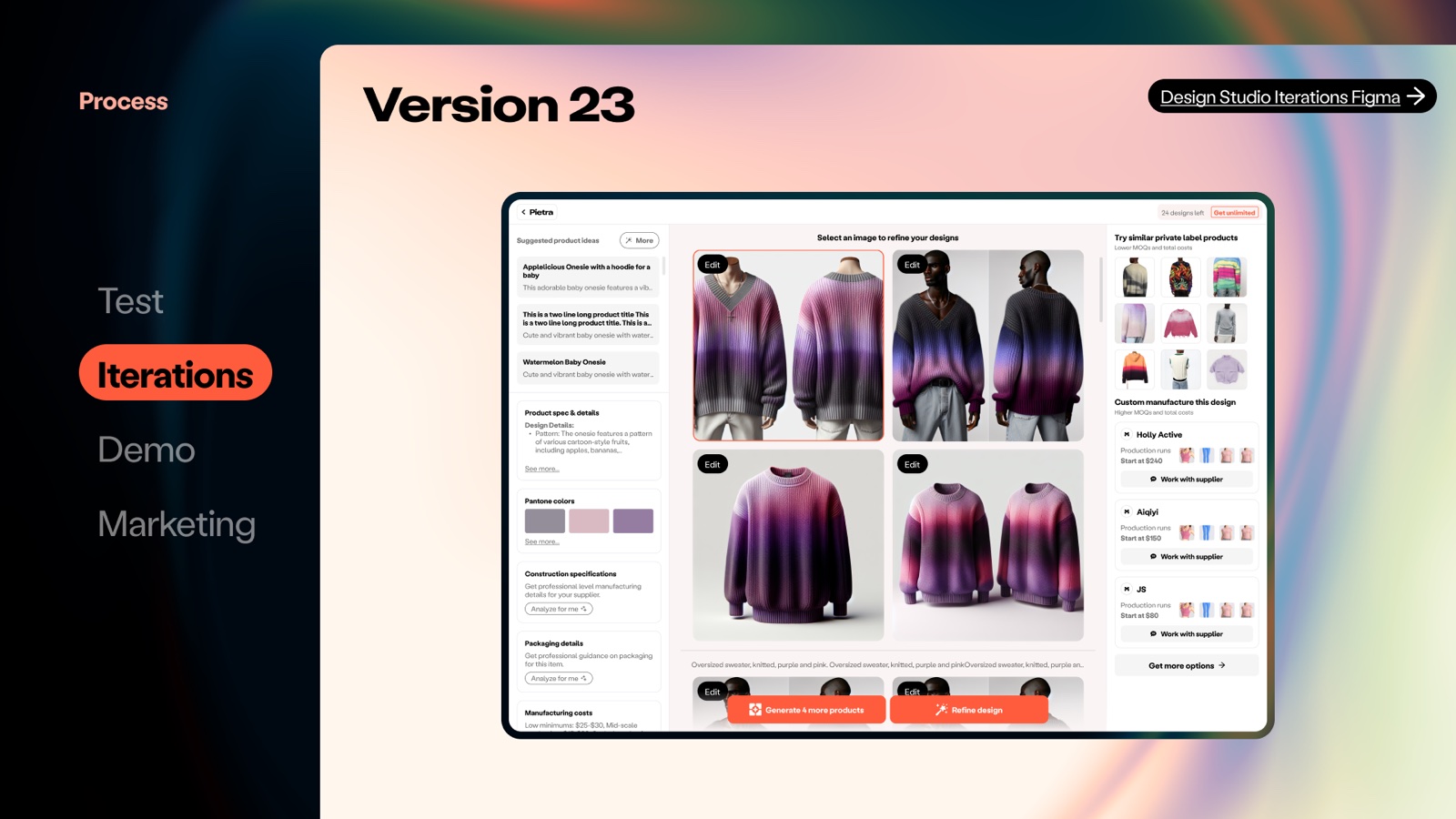
By V23, the tool closed the loop it set out to close. Refine a design, then find real private-label products like it and the specific factories who can make it — with starting prices, ready to talk to.
What happened
Design Studio launched to a strong week — featured on Product Hunt, #4 for the day — and kept climbing.
- 10,000+
- users in the first 3 months
- 300 → 900
- monthly manufacturing requests (RFPs)
- +25%
- membership lift for Design Studio users
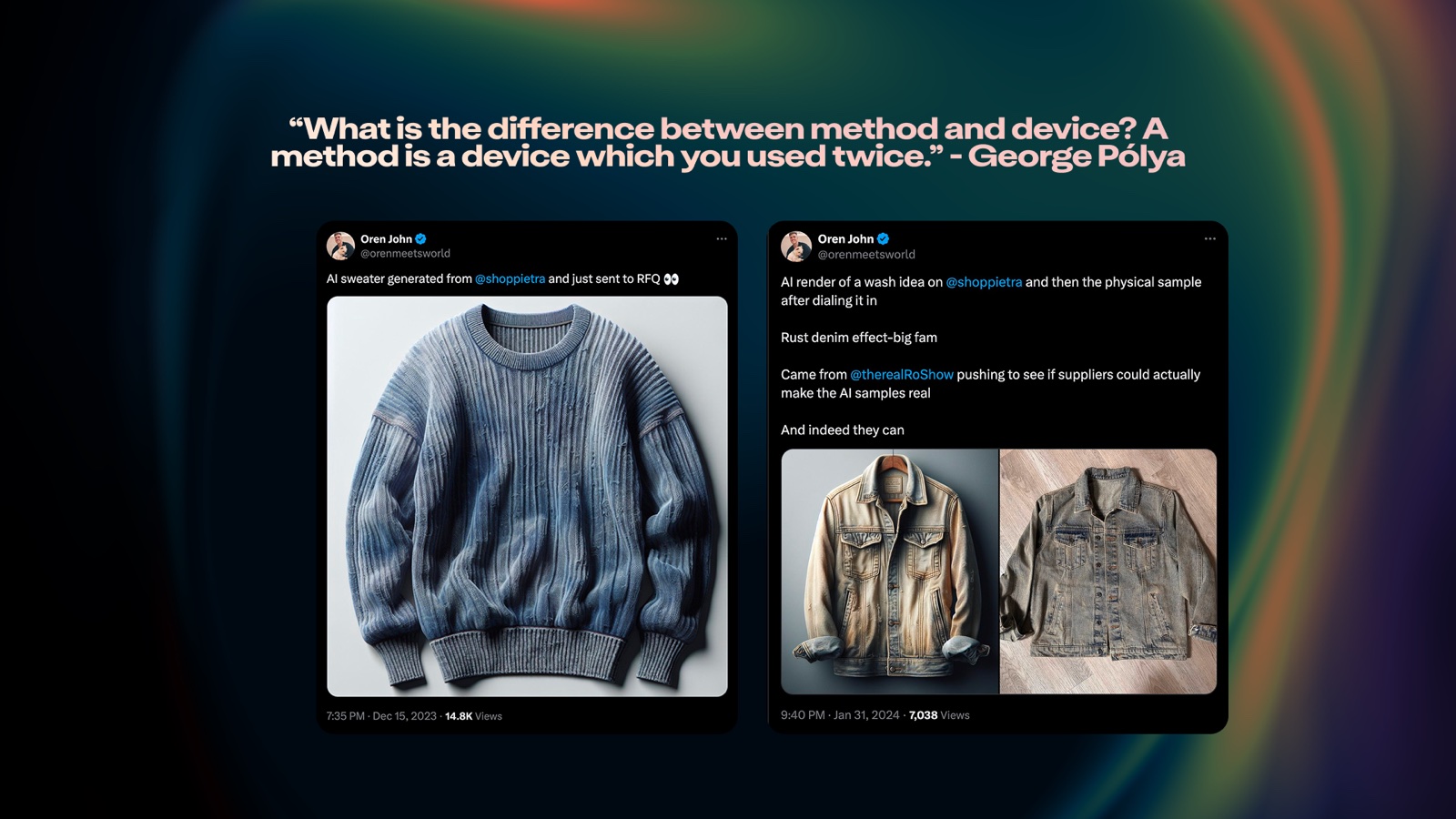
The best proof wasn't a chart, though. It was watching a creator generate a product in Design Studio, send it to a factory, and post the real, physical sample that came back.
The AI foundation we built — a flexible stack across OpenAI, Stability, and custom models — went on to seed four more products, from an after-hours factory-sales bot to virtual try-on. Design Studio stopped being a feature and became a platform.
The full deck
 1 / 32